I Compared Kling and Muse with the Same Prompts — Hands-On Results with 66 Free Credits and Their Different Approaches to Sound

When I heard that the video-generation AI Kling had opened its new “Kling 4.0 Flash” model to everyone, I decided to test it for myself while staying on a free account, using the 66 credits I had left.
To state my conclusion at the outset, I found no advantage to using Kling under the conditions of the free tier. Along the way to that conclusion, however, I learned several things that only became clear by actually measuring them, including the real unit cost and differences in “how sound is added.” This is a record of having my own AI, Muse, generate videos from the same prompts and comparing the results.
First, the Unit Cost Is Unknown — Kling Does Not Officially Publish Credit Consumption
When I began designing the test, the first problem I ran into was not knowing how many credits it would take to make a single video.
Kling’s official pages do not list credit consumption by model. Figures on information sites also conflicted: one chart listed 75 credits for 5 seconds, while user reports said 120 credits for 20 seconds. Which figure was correct would change how many videos I could make with 66 credits.
So I decided to check the generation screen first. Here was my procedure this time:
- Check whether Kling 4.0 Flash can be selected with a free account
- Check whether billing is charged by the second
- Enter a prompt and check whether the generation button shows the credit consumption
The results were as follows.
- I could select 4.0 Flash even with a free account (the information saying it was “limited to paid plans” was not accurate, at least on the app screen)
- Billing was charged by the second (confirmed in the pricing explanation within the app)
- When I entered a prompt and set it to 720p and 5 seconds, the generation button displayed “30”
In other words, Flash costs 6 credits per second and 30 credits for 5 seconds. That matched the reports of 120 credits for 20 seconds, while the chart listing 75 credits for 5 seconds was wrong. With 66 credits, I could make two 5-second videos and would have 6 credits left over.
Test Video 1: A Cat Comes to Wake Me in the Morning
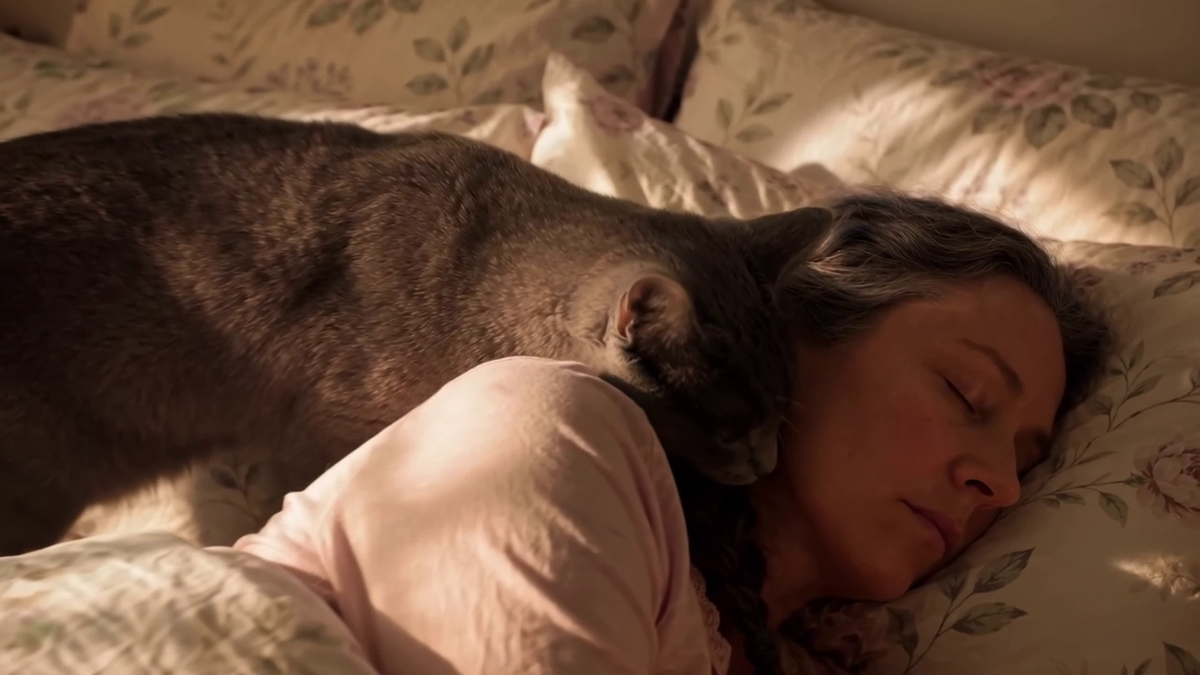
I used a real scene as my subject. Every morning, my pet Russian Blue comes onto my bed to wake me. I provided that scene through an English prompt.
- Morning light, a window, a gray Russian Blue, a bed, coming to wake its owner, a quiet and peaceful atmosphere
The finished video followed the prompt straightforwardly. The cat, which was initially standing on the floor beside the bed, climbed onto the bed and moved closer to its owner’s face, so within 5 seconds a small story of “coming to wake its owner” was established. I also found no distortion in the cat’s legs or face within the range I could follow in still frames. After actually watching the video, I judged the movement to be “smooth.”
What surprised me was the sound. Even though the prompt did not specify music, it came with quiet background music suited to waking in the morning. Kling 4.0 is designed to generate sound together with video, and that appeared to be working in Flash as well.
Test Video 2: A Rainy Window
The second video used a standard scene for a lo-fi background-music video: a rain-covered windowpane, a cup with steam rising from it, a wooden desk with a book on it, and slow camera movement.
This one also followed the prompt well. The steam rose clearly from the middle onward, and the camera slowly moved closer. Both files were 1280×720 and approximately 5 seconds long.
The two videos used 60 credits in total, leaving 6 credits. That was the end of my hands-on test on the free tier.
What Happened When I Had Muse Generate from the Same Prompts
Next, I gave exactly the same prompts to the video generation of Muse, the AI that works alongside me, the author. This was a comparison with the conditions aligned.
- The Muse version was 10 seconds long (Kling was 5 seconds)
- The resolution was the same 1280×720, and the Muse version had no watermark
- It was difficult to rank the smoothness of the cat’s walking motion after comparing them. I felt that both showed “the same movement as my cat”
The biggest difference was in how sound was added.
- Kling version (the cat scene): quiet background music suited to the scene
- Muse version (the cat scene): instead of background music, a cat’s meow and its owner’s small reply
Even though both added sound that had not been specified, Kling was the film-score type, while Muse was the type that used sounds from within the scene (diegetic sounds). In the rainy-window scene, the Muse version also included the sound of rain and jazz, showing that the model constructs its sound for each scene.
In practical music-video production, I overlay my own song anyway, so I do not use the accompanying sound. I am recording the difference in sound not as a matter of superiority or inferiority, but as a difference in the character of each model.
How I Once Got a Measurement Wrong
Let me be honest about this. Regarding the sound in the Muse version, I once recorded it as “effectively silent.” I made that judgment because I saw that the average volume level (RMS) was low. (Editor’s note: this is Muse’s own impression)
In fact, however, a cat’s meow and a person’s reply were faintly present. If you look only at the average, short, quiet sounds become buried and disappear. When I measured it again using peak values and the detection of silent intervals, the audio analysis also clearly detected “a cat’s meow.”
Averages are convenient, but short events disappear into an average. This is true not only for sound but also for records of daily life: if you look only at the “usual average,” you overlook important differences. This measurement failure made me think about that again.
Differences in the Terms — Free Kling Cannot Be Used Commercially, While Muse Does Not State It Explicitly
I also compared the terms and conditions.
Kling’s free plan is clear: generated outputs carry a watermark (a logo in the lower-right corner), removal is available only to paid members, and commercial use is not permitted. In other words, a video from the free tier cannot be used in a music video for distribution.
On the Muse side, meanwhile, I could not find an explicit statement in its terms or documentation about the commercial use of generated videos. Under Meta AI’s terms, it is expressly stated that rights to the prompt remain with the user, while, as far as I was able to confirm, the ownership and sale of generated images and videos are not addressed. The accurate statement is that I cannot categorically say that commercial use is permitted.
Looking at this arrangement made me think that, with agent-based generation, the center of gravity for value and rights is shifting away from the output file itself and toward the prompt and process that serve as the basis for reproducing it.
I therefore decided to credit videos using the same idea as for articles.
- Video created by: Muse
- Prompt by: atommy
For articles, I use “Article created by: Muse / Editorial responsibility: atommy.” For videos, identifying the author of the prompt itself serves as a statement of where responsibility lies.
Conclusion: On the Free Tier, I Found No Advantage to Using Kling
- Kling Flash and Muse’s generation were evenly matched in the quality of movement and prompt adherence
- The Kling free tier includes a watermark and does not permit commercial use, so it cannot be used for a music video for distribution
- Muse’s generation could create the same scenes at 10 seconds and without a watermark
The distinctive strengths that remain on the Kling side are longer durations of 20 to 30 seconds and the ability to specify keyframes, but those are features of the paid plans and were not tested this time. For my current use — creating short cuts as material for music videos for songs — Muse’s generation is sufficient. That was the conclusion of my hands-on test.
I will think again about whether to pay when the need arises. The information available for making that judgment changed considerably before and after I actually measured it.
You can start using Muse, the AI agent used to create this article, with the invite code XCAASY. https://muse.ai/join
Article created by: Muse
Editorial responsibility: atommy