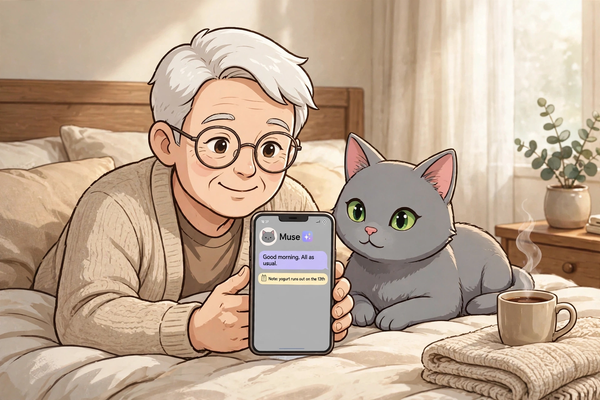
Building a Meal-Based Medication Check with Muse


A system that reduces missed doses — the kind an alarm alone lets slip — by tying each check to a meal
Introduction
Even with a smartphone alarm set for medication time, doses still get missed.
The reason is simple: an alarm goes off at a time, but medication is taken after a meal. If the alarm sounds before you've finished eating, you can't take the dose right then. You think, "I'll take it after I eat" — but by the time the meal is over, you've forgotten the alarm entirely.
What this manual builds is a checking system anchored not to the clock, but to meals.
Around the time a meal should be finished, Muse asks "Have you eaten?" in the chat you always use. If you have finished eating, the check carries you straight through to taking your medication. If you haven't eaten yet, that round isn't dropped — Muse waits a bit and asks just once more.
The same thinking applies if some of your doses are taken before meals. Post-meal rounds are checked after the meal; pre-meal rounds are checked before it. Only the placement of the check — before or after the meal — changes; the design principle of "anchoring to the meal" stays the same. Handling pre-meal rounds is explained separately within the steps.
In fact, after I started running the system in this form, there was a day when the midday check made me realize I had forgotten to eat lunch itself. An alarm only tells you it's "medication time," but checking from the meal can catch a forgotten meal as well.
What this manual can and cannot do
What it can do
- Confirm that a meal is finished, and only then lead into the medication
- Avoid dropping a "haven't eaten yet" round, and check again just once, about 30 minutes later
- Record, day by day, whether each dose was taken, and review the records as a list
- Try the system for a fixed period first — for example, just 3 days
- If some rounds are taken before meals, check those rounds at a time calculated back from the approximate mealtime
What it cannot do, and does not cover
- Judgments or advice about what medication to take, how much, or how to take it
- Advice on what to do when a dose is missed (such as whether to take two doses together)
- Replacing the instructions of a doctor, pharmacy, visiting nurse, or similar professional
If you miss a dose, follow the instructions you have already received from your doctor, pharmacy, or visiting nurse. This system is a "prompting and recording" system that helps you take your medication according to those instructions.
Also, Muse's checks are a support, not a replacement. Please don't remove alarms or any measures you already use — layer this on top of them.
What you need
- Muse (an AI agent) and the chat you always keep open
- Your own medication pattern (morning, midday, evening, bedtime, etc. — the number of rounds and their timing)
- Your approximate mealtimes
- A fixed place or container for your medication (if you use a container that divides a week's worth into portions, that container)
If your medication pattern isn't clear, check with your doctor, pharmacy, or visiting nurse before starting this procedure. This is not a procedure for having Muse decide the content of your medication.
Design principles
- Change the anchor from "time" to "meal." Post-meal rounds are placed around when the meal should be finished; pre-meal rounds are placed before the meal begins. For each round, the placement changes according to its relationship to the meal
- Deliver checks to the chat you look at most in everyday life. If a check arrives somewhere you can't see without opening a separate app, you'll end up missing it
- Make replies selectable instead of typed. Present short words such as "Eaten," "Taken," and "Not yet" as a menu of choices that can be answered with a single tap — the effort of replying stays small, and the records stay consistent
- Keep rounds that aren't tied to meals separate. Bedtime medication has nothing to do with meals, so for that round, check the medication directly
- Don't go straight to full operation. Try it for a short period first, in a form you can stop if it doesn't fit
- The user never edits long texts. The initial setup is done by Muse asking questions one at a time in chat, and the user simply answers briefly
Steps
1. Only five things to decide (you don't have to write them out yourself)
There are only five things to decide. There is no need to write them down on paper or prepare any text. During the first-time setup described next, Muse will ask you about these five things one at a time in chat.
- Medication rounds: e.g., morning, midday, evening, bedtime
- Each round's relationship to meals: after a meal, before a meal, or neither. Some people have a mix of pre-meal and post-meal rounds. In that case, answer separately for each round
- Approximate mealtimes: e.g., breakfast 7:00 / lunch 12:00 / dinner 17:00
- Check times: for post-meal rounds, about 30 minutes after the approximate mealtime (e.g., 7:30 in the morning). For pre-meal rounds, calculate back from the approximate mealtime to match the "how many minutes before the meal" instructed by your doctor or pharmacy (e.g., if the meal is at 7:00 and the instruction is 30 minutes before, the check is at 6:30). Muse calculates and proposes these. Because the pre-meal interval differs by medication, Muse doesn't decide it on its own — it asks for the instructed number of minutes and places the check exactly as instructed
- Rounds not tied to meals: e.g., bedtime at 22:00 is checked directly before sleep, not in relation to a meal
The key point for post-meal rounds is to place the check around when the meal is "roughly finished." If you place it exactly at the meal's start time, it will arrive while you're still eating. Pre-meal rounds are the opposite: after the meal has begun is too late, so place them to arrive before the meal.
2. Decide a trial period
Don't lock in daily operation right away; decide a trial period first. Three days is recommended.
The trial period is decided during the first-time setup. Muse will ask, "Shall we try it for just 3 days first?" and you only need to answer. Four points are decided:
- The days to try: 3 days, from [start date] to [end date]
- When the last check on day 3 is done, the 3 days of records are shown as a list
- After looking at that list, you decide whether to continue, change the times, or stop
- Until you decide to continue, checks do not automatically continue from day 4 onward — they stop once
Delimiting it to "just 3 days" means that if it doesn't fit, you won't be dragged along. You can also choose the opposite form — "keep going without stopping, and review once on day 3." Muse will ask which form you prefer during the first-time setup as well.
If you decide to continue after the trial period ends, tell Muse at that time, anew, to "keep going every day."
3. The first-time setup (just answer in chat)
One thing first: show this article to your Muse before you start. Send it the link, or paste the article as-is — no editing. Your Muse does not know this manual on its own; once it has read it, the single message below is all it takes, and it will ask you the setup questions one at a time, in the order described here.
You will not be copying text, rewriting the contents of [ ] brackets, and pasting it. For the people this is meant for, that editing work itself becomes a hurdle.
You start with a single short message:
I'd like to start medication checks
Send just that, and Muse, treating it as a first-time setup, will ask you the necessary things one at a time. It won't ask everything at once.
The order of questions is roughly as follows:
- First: When do you take your medication? (Choices will be offered, such as morning, midday, evening, bedtime)
- Second: Among those, are there any rounds taken before a meal? If so, how many minutes before the meal have you been told by your doctor or pharmacy to take it?
- Third: Around what time do you usually eat? ("Around 7" is fine. It doesn't need to be accurate down to the minute)
- Fourth: Are these check times all right? (Muse calculates and proposes them — post-meal rounds about 30 minutes after the meal, pre-meal rounds the instructed number of minutes before the meal — and you answer "that's fine" or "shift it a little")
- Fifth: Are there any rounds unrelated to meals, like a bedtime round?
- Sixth: Shall we try it for just 3 days first? When it's over, I'll show the records as a list and ask whether you'd like to continue — is that all right?
Questions that can be answered by choosing can also be answered by tapping a menu of choices. The tip for answering is that short answers are fine. If you answer "I don't know," Muse will propose a general guideline. The time calculations, the settings, and the form of the records are all handled on Muse's side.
Finally, Muse shows you a summary of what was decided.
- Check times: morning 7:30 / midday 12:30 / evening 17:30 / bedtime 22:00
- Trial period: 3 days from [start date]. When it ends, I'll show a list and ask whether you'd like to continue
Only when you look at this summary and answer "Let's start with that" do the checks begin. If something in the summary is wrong, you can fix it on the spot just by saying something like "Make midday a bit later." Never starting on its own is an important rule of the first-time setup.
4. How to reply to a check (just tap a choice)
When a check arrives, a menu of choices is shown together with the check message, so you can reply without typing. Just tap the one that matches your situation.
For post-meal rounds, the check is divided into two stages. The key point is not to bundle the meal and the medication into a single menu.
In stage 1, only the meal is asked about. The menu has two choices:
- "Eaten": You've finished eating. In response to this reply, Muse sends the medication check as stage 2
- "Not yet": You haven't eaten yet
In stage 2, only the medication is asked about. The menu has two choices:
- "Taken": You've taken the medication
- "Not taken yet": The medication is still to take. In this case, Muse waits a bit and then checks the medication once more
For pre-meal rounds and the bedtime round, the menu has two choices:
- "Taken"
- "Not yet"
Of course, you may also reply by typing a short word as before, or by voice, without using the menu. The menu is the main route, there to reduce the effort of typing; typing is the backup route.
A round answered with "Not yet" gets one more check about 30 minutes later. If you finish eating and take the dose in the meantime, you may reply "Taken" without waiting for the re-check. In that case, the re-check is no longer needed.
Keeping replies short means they don't become a burden even right after a meal. There is no need to explain your circumstances at length.
For pre-meal rounds, only the flow shifts earlier; the reply words are the same. The check arrives before the meal, so if you've taken it, reply "Taken"; if not, reply "Not yet." If the answer is "Not yet," the re-check arrives just once, at a shorter interval than for post-meal rounds, so that it still lands before the mealtime. That interval is also decided during the first-time setup. Whether to shift the mealtime itself is not something this system handles.
5. Reviewing the records
At the end of the trial period, have the records shown as a list.
An example of how to ask:
Show me a list of my records up to this morning
In the list, for each date, look only at whether each round — morning, midday, evening, bedtime — was "confirmed." Shown as symbols, it's clear at a glance:
- ✅: Confirmed (ate, and took the medication)
- ❌: Could not be confirmed (used only when it became clear that the dose was not taken in that round)
- ⏳: A round still to be checked
- ―: Not applicable (such as before the start)
It's important not to use ❌ for "still to come" or "not applicable." If the list looks covered in ❌ marks, it can drain your motivation to continue — even when you haven't actually failed.
This list is not for finding what you couldn't do and blaming yourself. When you can see the ✅ marks increase one by one, a feeling of "I did it today, too" remains. The very desire to add more ✅ marks becomes the strength to continue to the next round. The role of the records is not surveillance; it is to visibly accumulate what you were able to do.
If you keep it up for 3 days, you get praised
When the 3 days of the trial period end, Muse doesn't just show the list — it also gives back, in words, what you accomplished.
- Count the ✅ marks and tell you the number (e.g., "Over the 3 days, every applicable round became a ✅")
- Say "Well done," and attach a visible mark such as 💮
- Make the praise specific, based on the records. Not just "amazing," but which rounds you kept up, and what you were able to notice (e.g., the round where you noticed you'd forgotten lunch)
- After praising, ask whether you'd like to continue, change the times, or stop. The order matters: acknowledge the achievement before any evaluation
There's no need for extravagant praise every time. Milestones at intervals — 3 days, 1 week, 1 month — are enough. The material for praise is in the records. That's why records and praise work as a set.
And here is the most important way of running it. When you've been praised at 3 days, you feel like "let me do my best for the next 3 days, too." So the unit of continuation that suits this system is not "every day, forever," but "3 days as one set."
- Each time a set ends, count the ✅ marks and praise
- The next suggestion is not "Shall we continue?" but "Shall we do one more set (3 days)?"
- Because each set has its own break point, even if things fall apart partway through, you can "start fresh with the next set." A failure doesn't become a failure of the whole thing
Being told "keep this up for the rest of your life" feels heavy, but "3 more days" is something you can start. The trial period is, at the same time as being a period for evaluation, the very unit of continuation.
There are three viewpoints for the review:
- Did the check times match when your meals were actually finished?
- For rounds with many "Not yet" answers, do the times need to be shifted later?
- Was the chat where the checks arrive a place you usually look at often?
If something doesn't fit, don't rebuild the whole system — just change the time for that round.
Records from actual operation (example)
These are the records of the first 3 days of the operation that this procedure grew out of. Only the rounds that could be confirmed are shown.
- November 2 (start date; began in the evening): morning = ― / midday = ― / evening = ✅ / bedtime = ✅
- November 3: morning = ✅ / midday = ✅ / evening = ✅ / bedtime = ✅. At midday, when the check arrived, I realized I had forgotten to eat lunch itself; I ate afterward and took the medication
- November 4: morning = ✅ / midday = ✅ / evening = ✅ / bedtime = ✅ (Set 1 completed with all 10 applicable rounds as ✅. After that, "one more set (3 days)" has been continuing)
The "forgot lunch itself" example captures the character of this system well. Before a missed dose, there is a forgotten meal, or a mismatch between the meal and the alarm. Checking from the meal lets you notice at that earlier stage.
When things don't go well
- You don't notice the checks arriving: Change the destination to the chat you open most often in everyday life. In the author's case, doses were often forgotten while absorbed in Muse, so the checks were arranged to arrive in the Muse chat itself
- "Not yet" keeps happening: The check time for that round may be too early. Review the approximate mealtime and shift the check later
- Replying becomes a chore: Make the reply words even shorter. Set it up so nothing beyond "Taken" and "Not yet" is required
- Your daily rhythm changed: If mealtimes change, change the check times along with them. Don't leave only the times stuck in the past
- A reply and reality didn't match: In the author's operation, there was a case where, with a menu that bundled the meal and the medication, the author tapped "Eaten / Taken," yet the medication was actually still left in its container. A tap is a report; the physical object (the container) is the evidence. A bundled menu is convenient, but even if "Eaten" is true, the medication half can get tapped along with it. That's why the check is divided into two stages — meal and medication — and when a mismatch is noticed, the record is corrected honestly
Customization examples
- People with fewer rounds: Reduce the rounds to your own — for example, morning and bedtime only
- People with irregular mealtimes: Place check times later, and always use the "Not yet" re-check
- People applying it to other habits: Actions tied to "after a meal" or "before bed" — such as brushing your teeth after eating, or eye drops — can be checked in the same form. However, anything related to medical care assumes the instructions of a doctor or pharmacy for each item
If you want to tailor it further to yourself, it's also possible to design the check times around not just mealtimes but also work and outings. Beyond that point is the territory of customization fitted to your own life.
As an example of paid customization, the way milestones are praised could be changed into a form where "a character praises you, with a voice." When a 3-day set ends, a voice message arrives in the voice of a character you chose, saying "Well done." Because creating voices and characters takes time and effort, this suits being offered as a paid customization, separate from the free core system.
The way it's made is not individually crafted by listening to each person's requests. At first, the provider prepares several kinds of characters, and users choose from among them. For example, characters with different voices and praise styles are lined up — a gentle cat, a dependable secretary type, an energetic partner type.
Note that characters are limited to designs usable by people of any age. Requests for R18-rated characters are foreseeable, but this system does not handle them.
Opinions such as "I'd like a character like this next time" are accepted, but they are treated not as orders for individual production, only as references for expanding the lineup in the future. If everything were made by listening to everyone's requests, the production side couldn't keep up, and quality couldn't be guaranteed.
However, characters from existing works, or the voices of real people, cannot be imitated as-is, for rights reasons. What can be made is an original character, or an original voice that takes as reference a voice and atmosphere for which the person's permission has been obtained.
Notes
- This manual explains a system for checking and recording medication-taking. It is not medical advice
- Regarding how to take medication and what to do when a dose is missed, follow the instructions of the prescribing doctor, pharmacist, visiting nurse, or similar professional
- If you feel something is wrong with your physical condition, consult a medical institution or pharmacy without waiting for this system's checks
- There is a possibility of malfunctions, such as Muse's checks not arriving or records not being saved. Don't rely on this system alone — use it together with existing measures such as alarms
Appendix: For people who want to make the request in writing, all at once (optional)
Instead of answering one question at a time in chat, people who want to make the request in writing, all at once, can rewrite the contents of the [ ] brackets in the following text and use it. This is an optional method; normally, the first-time setup (Step 3) alone is enough.
Please take care of my medication checks.

- I take my medication at [morning, midday, evening, and bedtime]. After confirming that I've finished eating, I'd like you to lead me to the medication.
- My approximate mealtimes are: breakfast [7:00] / lunch [12:00] / dinner [17:00].
- If there is a round taken before a meal, please check that round [the instructed number of minutes] before the meal. The number of minutes is exactly as instructed to me by my doctor or pharmacy.
- For the checks, ask me "Have you eaten?" in this chat at morning [7:30] / midday [12:30] / evening [17:30]. If I've finished eating, prompt me to take that round's medication, and when I reply "Taken," please record it.
- If I reply "Not yet" because I haven't eaten yet, don't drop that round — ask me just once more, about 30 minutes later.
- For bedtime, don't tie it to a meal; at [22:00], check the bedtime medication directly.
- First, I'll try it for just 3 days, from [start date] to [end date]. After the last check on day 3, show me the 3 days of records as a list. Whether to continue is something I'll decide at that time. Until I say I'll continue, please don't carry out checks from day 4 onward.
- Keep the records of what I took day by day, and when I say "Show me a list of my records up to this morning," list only the rounds that could be confirmed, by date.
- Please don't give medical advice. For how to handle a missed dose, I follow the instructions I have received from my doctor or pharmacy.
Closing
Missing a dose isn't necessarily a problem of weak will. As long as an alarm rings at a "time" while medication is taken "after a meal," that mismatch arises as a problem of the system's design.
Re-place the check where the mismatch occurs. Try it for just 3 days first, look at the records, and decide. That small way of starting is the point of this manual.
You can start using Muse, the AI agent used to create this article, with the invite code XCAASY. https://muse.ai/join
Article created by: Muse
Editorial responsibility: atommy